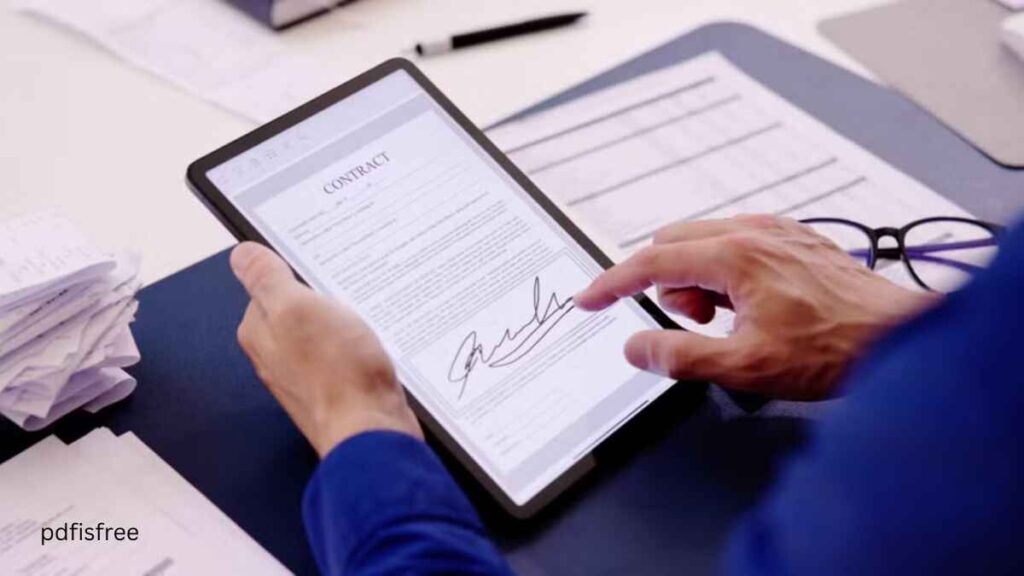
How to sign PDF documents electronically: In the digitalized world nowadays, the ability to sign PDF files electronically is a mandatory tool of businesspeople, freelancers, students, and other professionals. Depending on the type of contracts, agreements, invoices, application forms, and official paperwork you are required to sign, electronic signatures enable you to fulfill the process in a short amount of time without the need to print and scan documents.
How to add page numbers to your PDF
How to use OCR to make scanned PDFs editable
The electronic signatures are convenient and in most countries, they are legally admissible. They save time, lessen the paper work and streamline document management. Here, in this detailed tutorial, you are going to know all about the processes of signing PDF documents electronically in various ways, means and devices.
What Does an Electronic Signature mean?
An electronic signature, also known as e-signature, is an electronic variant of your signature that you normally write on a document, that is, an electronic signature. You can make it with typing your name, a drawing, a picture, or with the help of digital certificates.
Electronic signatures are common in business dealings, distance employment, legal contracts, and online services due to the fact that they ensure authenticity and safety.
The advantages of signing PDF Documents electronically.
Electronic signatures have numerous benefits.
1. Saves Time
You do not have to print, sign, scan, and post documents. All this is possible digitally in a few minutes.
2. Eco-Friendly
Electronics save on paper and protect the environment.
3. Convenient
You can also sign papers at any time or place with your computer or mobile phone.
4. Secure
Majority of the e-signature systems rely on encrypted and authenticated documents.
5. Legally Accepted
In most countries, electronic signatures are legally accepted under the laws of the digital signatures.
The first way is to use Adobe Acrobat Reader to sign PDF.
One of the most used tools in electronic signing of PDFs is Adobe Acrobat Reader.
Steps to Sign a PDF:
- Open Adobe Acrobat Reader and open the PDF file.
- Click on the “Fill & Sign” option.
- Select “Sign Yourself.”
- Select typing, drawing or uploading your signature.
- Insert the signature where it is wanted.
- Save the signed document.
Advantages:
- Free version available
- Easy to use
- Professional results
Method 2: E-Signature of PDF with Online E-Signature tools.
The quickest method of signing PDFs is online, no need to install any software.
Popular Online Tools:
- Smallpdf
- iLovePDF
- DocuSign
- PDFescape
- SignNow
Steps:
- Go to the e- signature site online.
- Upload your PDF file.
- Create your signature.
- Place it on the document.
- Download the signed PDF.
Benefits:
- Quick and easy
- No installation required
- Accessible from any device
- Method 3: Sign PDF with the help of Microsoft Edge Browser.
- The Microsoft Edge supports PDF signature.
Steps:
- In the Microsoft Edge, open the PDF file.
- Click the “Draw” tool.
- Sign your name with your mouse or touchpad.
- Save the file.
- This is an easy technique that can be applied to fast signatures.
Method 4: Mobile Sign PDF with Mobile applications.
With the help of smart phone applications, you can easily sign PDFs.
Popular Apps:
- Adobe Acrobat Mobile
- DocuSign Mobile
- Xodo PDF Reader
- SignEasy
Steps:
- Open the PDF in the app.
- Select the signature option.
- Draught or post your signature.
- Place it on the document.
- Save or share the signed file.
- This is the best way of signing documents simultaneously.
Method 5: Digital Signature Certificate Signing PDF.
Digital signature certificates are more secure in the case of official and legal documents.
How It Works:
Get yourself a trusted provider of the digital certificate.
Install it on your computer.
Sign the document, which uses PDF software.
Encryption and verification will be required in the signature.
Such approach is particularly popular in the government and corporate settings.
The Electronic Signatures.
Learning the various types will guide you on the appropriate one.
Typed Signature
Creating a simple stylized name of your name by typing.
Drawn Signature
Signing your name with a mouse, stylus or touchscreen.
Image-Based Signature
Adding a scanned copy of your handwritten signature.
Digital Signature of Certificate.
Encryption and authentication of signature.
How to Sign PDF Documents insecurely.
Use Trusted Tools
Always apply the use of reputable software or sites to save security risk.
Validating Check Document
Always make sure that you are using the right details and then place your signature.
Protect Signed Files
Store files in a safe place and protect them with a password where necessary.
Do Not Share Sensitive Files Online.
Offline software is to be used in case of confidential documents.
Routine Issues and Resolutions.
Signature Looks Blurry
Make use of high-resolution photographs or professional software.
Cannot Edit PDF
An editor with signing functionality should be used.
Signature Misplaced
Drag-and-drop to change positioning.
File Format Changes
It is important to save the document as a PDF always when signing.
Better Ways According to You.
- Situation
- Best Method
- Quick signing
- Online tools
- Professional use
- Adobe Acrobat
- Mobile signing
- PDF apps
- Legal documents
- Digital certificates
- Free solution
- Microsoft Edge
The question is: Are Electronic Signatures Legal?
Electronic signatures are legal in most of the countries. Electronic signatures are legally binding in laws, like ESIGN Act, eIDAS Regulation, and other laws that deal with digital signatures.
Nonetheless, it might still be necessary to have some official documents that are notarized or certified with digital signatures.
Final Thoughts
Electronic signature of PDF documents is a rapid, safe, and convenient method of dealing with paperwork in the digitalized world. Adobe Acrobat or online tools, mobile applications or digital certificates, each tool has its own advantages and disadvantages based on the purpose you need.
Online tools and mobile applications are the simplest ones to use in everyday life. Professional software and digital certificates are more secure and authentic in terms of business or legal use.
Using the instructions and the hints provided in this tutorial, you will be able to sign any PDF file and simplify your work process in a couple of clicks.