Ways to use PDFs in online presentations and slideshows . In the current online learning and corporate world, online presentations and video conferencing are now a routine in communication. Be it a student, a freelancer trying to sell a client or a businessman holding a webinar, visual content is very crucial in conveying your message across.
How to convert web pages to PDF quickly
How to turn your PDF into a printable brochure or ebook
One of the most effective and underestimated tools of online presentation and slideshow is the PDF files. Most individuals believe that PDFs are intended to view or print documents and they can also be used innovatively in virtual presentations.
You will also learn various methods of how to utilize PDFs in online presentations and slideshows in order to be more professional, clear and engaging, as a whole in this detailed manual.
The benefits of PDFs in Online Presentations.
The first step before finding out the ways is to know why PDFs are effective in online presentations.
1. Consistent Formatting
The layout, fonts, images and design carry over to all devices in PDFs.
2. Easy Sharing
There are immediate ways of sharing PDFs through email, cloud storage, or chat.
3. Professional Appearance
They offer a smooth and orderly appearance.
4. Lightweight and Portable
Pdfs can be stored and viewed without taxing software.
5. Security Features
You are able to password protect or limit editing.
1. Directly-from PDF Presentation.
Directly presentations are one of the easiest methods of online presentation using PDFs.
How It Works
It is possible to open the PDF in full-screen mode and share your screen during a virtual meeting.
Benefits
No formatting issues
Smooth slide navigation
No need to convert files
The approach is effective in case of webinars, lectures, and meetings with clients.
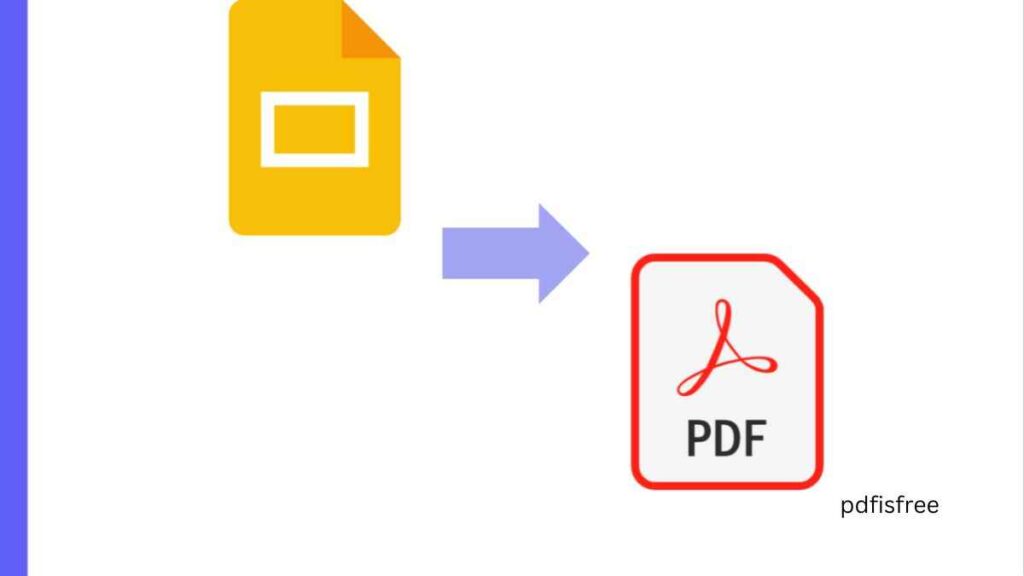
2. On-the-fly conversion of PDF Pages to Slide F format.
When you have a PDF report or document then you can convert it into separate slides.
Why This Is Useful
- Makes content more dynamic
- Presents animation and transitions.
- Improves visual engagement
You are able to use every page and turn it into slides of a presentation and add some design features to it.
3. The introduction of PDFs into Slideshow Platforms.
There are numerous web-based presentation systems that will enable you to upload a PDF and embed it directly.
Benefits
- Easy navigation
- The display of professional documents.
- In reports and case studies, this is ideal.
- This comes in particularly handy when giving research results or greater documentation.
4. Handing out PDFs during Presentations.
Handouts can be in the form of PDFs which the audience can download.
- Why This Is Effective
- Attendees can follow along
- Gives information in details.
- Enhances credibility
Posting a PDF of whatever you presented in your speech or after your speech serves as a way of reinforcing your message.
5. Highlighting and Annotating PDFs Live.
Interactive presentations are more entertaining.
How to Do It
- Highlight important points
- Add comments
- Highlight important areas.
Live annotation will enhance the level of interaction and understanding in your session.
6. Converting PDFs to interactive Slide Shows.
There are tools that enable you to turn PDFs into interactive presentations that contain clickable items.
Features Include:
- Clickable links
- Navigation buttons
- Embedded videos
- Internal bookmarks
This improves user experience and the presentation becomes more dynamic.
7. Presentation of Portfolios in PDFs.
Sometimes, PDFs are also used by the freelancers and designers as portfolio presentations.
- Why PDFs Work Well
- Clean visual layout
- Easy sharing
- High level design control.
You are able to create a portfolio PDF when meeting clients without worrying on how it should be formatted.
8. Visualizing Reports and Data.
Reports and data analysis are usually presented using PDFs.
Best Use Cases:
- Financial reports
- Project summaries
- Research documents
- Business proposals
The use of PDF to present the reports gives them a clear structure.
9. Printing PDFs as Backup During Presentations.
There are technology problems that may occur any time.
Why Keep a PDF Backup?
- Works on any device
- Easy to open
- Prevents delays
In case of the failure of slideshow software, you can promptly change to PDF version.
10. Addition of Multimedia PDFs.
Contemporary PDFs are capable of having multimedia content.
Features Include:
- Hyperlinks
- Embedded videos
- Audio clips
- Interactive forms
Multimedia PDFs help to improve online presentations and make the audiences interested.
11. Sharing PDFs: Smooth Sharing by Compression.
Online meetings may be slowed down by big files.
Why Compression Matters:
- Faster uploads
- Smooth screen sharing
- Reduced loading time
- Make sure that PDFs are always optimized.
12. Securing PDFs of Presentation.
In case your presentation requires confidential data, there is the issue of security.
Security Options:
- Password protection
- Restrict editing
- Disable printing
- This secures intellectual property.
13. Sorting PDF Content using Bookmarks.
Long documents are easily navigated with help of bookmarks.
- Why Use Bookmarks?
- Navigation between sections is easy.
- Improve presentation flow
- Save time
In the case of detailed reports and academic presentations, bookmarks come in handy.
14. Top tips in using PDFs in presentations online.
- Keep Layout Clean
- Avoid cluttered pages.
- Use Large Fonts
- Make sure that it is readable when screen sharing.
- Test Before Presenting
Test formatting on other devices by opening the PDF.
Practice Navigation
Learn how to browse from one page to another.
Use Clear File Names
Arrange your presentation files well.
Common Mistakes to Avoid
Clogging Slides with Text.
Keep content concise.
Using Low-Quality Images
Professionalism is enhanced by high-resolution images.
- Ignoring File Size
- Big PDF files may decrease speed.
- Not Checking Compatibility
- Pre-test. Never present without testing.
Advantages of PDFs in Presentation.
There are a number of benefits of using PDF in online presentation:
- Professional consistency
- Easy accessibility
- Improved organization
- Enhanced engagement
- Reliable backup solution
Pdfs offer a reliable and consistent format in the virtual communication.
Who can be the beneficiaries of using PDFs in Slideshows?
Students
To present a project and academic report.
Freelancers
To present portfolios and make pitches to clients.
Business Professionals
To meet, to hold a webinar, and to make a proposal.
Educators
In online teaching and lectures.
The PDFs will be flexible and apply to a wide range of presentation requirements.
Final Thoughts
The PDFs are not merely static. They can also be used creatively to make online presentations and slide shows that are much better. Since they can be presented in any way, like in full-screen mode, as well as to develop interactive experiences and downloadable handouts, PDFs are flexible and reliable.
Regardless of whether you are delivering a research, selling to a customer, teaching students or holding a webinar, the use of PDFs in your online presentation will ensure it is always consistent, professional and clear.
With these strategies and best practices outlined in this guide, it is possible to successfully use PDFs to make online presentations interesting and effective.