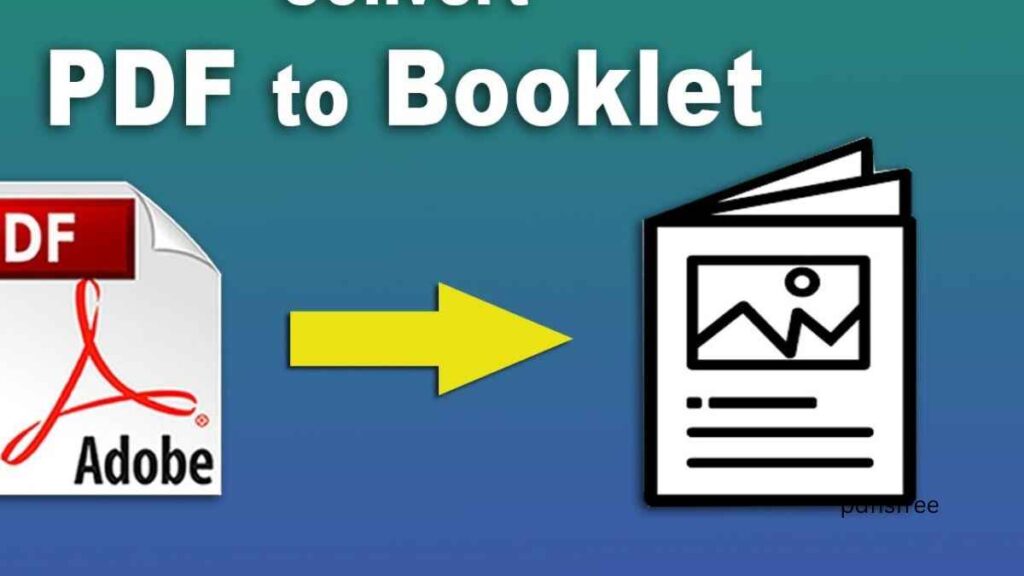
How to turn your PDF into a printable brochure or ebook. PDF file is one of the most adaptable document types on the market. You can effortlessly convert your PDF into a slick printable brochure or eBook even if you have prepared a business report, portfolio, guide or a marketing document. By making appropriate layout changes and formatting tricks to your ordinary PDF, then you can make it look like an attractive publication that will either be printed or digitally distributed.
Ways to use PDFs in online presentations and slideshows
You will be able to step-by-step convert your PDF into a printed brochure or an eBook formatted and designed to the best of your layout in this comprehensive guide and tips on formatting, laying out your layout, and tips on best practices to reach professional-quality results.
What is the Reason to Turn a PDF into a Brochure or eBook?
We should know the value of this transformation since it is not just a worthwhile process.
1. Professional Presentation
A simple document does not look as structured and appealing as a brochure or eBook does.
2. Marketing Advantage
Promotions are done through brochures and lead generation with eBooks.
3. Easy Distribution
Online sharing is possible with eBooks, but brochures can be printed to be used during an event.
4. Branding Opportunities
You may add logos, colors, and the same elements of a brand.
Part 1: Converting Your PDF to a Printable Brochure.
A brochure is mostly printed and folded to be used in advertising or informing. It is usually in bi-fold and tri-fold format.
Step 1: Check on the PDF you already have.
Analyze your PDF before conversion.
Ask yourself:
Is content brief enough to be on a brochure?
Are headings clear?
Are images high quality?
Is branding consistent?
Brochures cannot have long paragraphs but rather short and captivating parts.
Step 2: Page size and layout.
Brochures employ the following sizes of pages:
A4 folded into thirds (tri-fold)
Letter size bi-fold
Half-fold booklet style
You might have to modify your PDF design to suit these dimensions.
Tips:
Set margins properly
Store relevant content not between folds.
Maintain balanced spacing
Step 3: Tabulate Content into Panels.
In the case of a tri-fold brochure, six panels will contain the content:
Front panel:
Title
Catchy headline
Logo
Inside panels:
Main information or services.
Benefits
Key highlights
Back panel:
Contact information
Website
Social media
Ensure that the material folds in a natural way.
Step 4: Make use of good-quality images and graphics.
Brochures are documents that are represented visually. Use:
High-resolution images
Clear icons
Attractive headings
Consistent color scheme
Avoid clutter. Space increases the readability.
Step 5: Export for Printing
Before printing:
Adjust settings on bleed where necessary.
Use CMYK color mode for print
Make sure that it is high resolution (300 DPI).
Preview fold alignment
Export the last version as a printable PDF.
Part 2: PDF to an eBook.
eBook is created to be read mainly through computers, tablets and e-readers.
Stage 1: Reformatting to Digital Reading.
eBooks are normally read on screens unlike brochures.
Optimize for:
Vertical scrolling
Larger font size
Comfortable line spacing
Simple, clean layout
Do not use complicated multi column designs.
Step 2: Add a Cover Page
An attractive cover is needed on a professional eBook.
Include:
Title
Subtitle
Author name
Branding
Good background picture.
The initial impression is made by the cover.
Step 3: Develop a Table of Contents.
Include navigable links to be conveniently digital.
This enhances ease of use and your eBook can appear professional.
Step 4: Chapter Organization.
Organize your information into coherent parts:
Introduction
Main chapters
Subheadings
Summary or conclusion
Consistency is key.
Action 5: Incorporate Interactive Elements.
To improve your eBook, adding:
Clickable hyperlinks
Internal navigating buttons.
Multimedia (can be embedded)
This increases engagement.
Step 6: Optimize File Size
Big PDF eBooks are not easy to share.
To Optimize:
Reduce the size of images without compromising their quality.
Eliminate extraneous factors.
Keep file size manageable
An optimized eBook is faster when loading and is also simpler to distribute.
Design Advice of both Brochures and eBooks.
1. Use Consistent Branding
Use the brand colors and fonts, as well as your logo position.
2. Choose Readable Fonts
Do not use ornamental body text fonts.
3. Maintain Visual Hierarchy
Make proper use of headings, subheadings and bullet points.
4. Keep Paragraphs Short
Blocky text decreases the readability.
5. Proofread Carefully
Errors in spelling and grammar decrease credibility.
Common Mistakes to Avoid
Overloading with Text
Be succinct and to the point.
Ignoring Margins and Bleed
This has the potential of influencing the quality of printing.
Using Low-Resolution Images
Photographs must be crisp and well defined.
Neglecting Mobile Optimization (eBooks).
Readability under smaller dimensions.
Not Checking Print Preview
Never leave without proofreading.
Tools That Can Help
Even though you are using the PDF form of your base file, you can use editing or layout software to hone it down until you are ready to export it.
These tools can help:
- Adjust layout
- Add interactive features
- Improve design
- Convert format if needed
Select tools, depending on your intention to distribute print or digital.
Use of PDFs to Brochure or eBook Advantages.
There are a number of benefits to converting your PDF to a brochure or an eBook:
- Increased professionalism
- Stronger branding
- Better audience engagement
- Easier distribution
- Improved marketing impact
It doesn’t matter whether it is business promotions, educational literature, portfolios or digital publishing, this transformation brings value to what is written.
When a Brochure or eBook is the Better Alternative?
Choose a Brochure if:
- You require print media marketing materials.
- You are in events or trade show.
- You desire small scale promotional material.
Choose an eBook if:
- You are disseminating material on the web.
- You want to build authority
- You require information in detail, lengthy and detailed.
- All forms are made to serve various functions.
Final Thoughts
Converting your PDF to printable brochure or professional eBook is an efficient method of reusing your content. Having the right structure, layout, good quality of visuals, and well-considered design, your typical PDF may turn out either an impressive marketing tool or a high-end digital publication.
The trick lies in comprehending the distinction between print-oriented layout (when it is necessary to create a brochure) and display-oriented (screen-oriented) design (when creating an eBook). Using the steps and best practices that are contained in this guide, you can be sure of producing attractive, functional, and professional material that will create a lasting impression.